
Yandex Keyboard50.7 - AppGallery
You'll be able to see results in few seconds.
Publisher Description





Add some zest to your messaging experience with a smart and slick auto-correct feature, smooth swiping, a dedicated translator, and voice commands that support emoticons, GIFs, and stickers. Chat away like never before.
Your security and anonymity is our top priority
All input data is completely anonymized and won't be collected without your permission. The keyboard collects your input so it can learn and adapt to your personal style (don't worry, you can toggle this feature on or off in settings). None of your passwords, contacts, credit card information or other sensitive data is being collected.
Reads, writes, and speaks like a native
The keyboard uses proprietary machine learning algorithms developed by Yandex in order to make appropriate suggestions as you type. Advanced predictive capabilities even let you receive suggestions for words you haven't typed yet. You can also suggest your own words and let the keyboard adapt to the way you talk, or just forgo the feature altogether.
An interpreter in your pocket
The keyboard knows 70 languages and can easily translate phrases between multiple language pairs, including English, Afrikaans, Albanian, Arabic, Armenian, Azerbaijani, Bashkir, Basque, Belarusian, Bengali, Bosnian, Bulgarian, Catalan, Chuvash, Croatian, Czech, Danish, Dutch, Estonian, Finnish, French, Gaelic, Galician, Georgian, German, Greek, Haitian, Hebrew, Hindi, Hungarian, Icelandic, Indonesian, Italian, Kazakh, Kyrgyz, Latin, Latvian, Lithuanian, Macedonian, Malagasy, Malay, Maltese, Mari, Mongolian, Nepali, Norwegian, Persian, Polish, Portuguese, Romanian, Russian, Serbian, Slovak, Slovenian, Spanish, Swahili, Swedish, Tagalog, Tajik, Tamil, Tatar, Telugu, Turkish, Udmurt, Ukrainian, Uzbek, Vietnamese, Welsh, Yakut, and Zulu. You can use the keyboard to effortlessly talk to people who don't speak your native tongue, without worrying about grammar rules.
Make talking more fun
Spice up your conversations with animated GIFs (built-in search included), emojis, and stickers, and you can even get emoji suggestions as you type along. The keyboard also supports kaomojis, which are fun emoticons constructed with Japanese characters, such as this angry guy flipping a table ( ╯°□°)╯┻━━┻ or a cute little bear ヽ( ̄(エ) ̄)ノ.
Enjoy tools for every occasion and a host of useful options
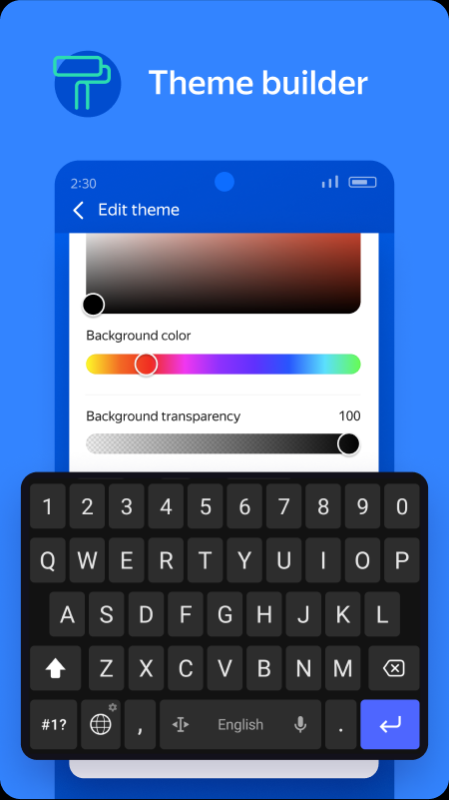
You can change up the keyboard's design: make it vibrant and colorful or go for something darker and sleeker looking. Don't waste your time on toggling and swiping: add numbers and other extra characters to your main keyboard layout for instant access. If you need to turn to the Internet for help, a built-in Yandex search is always right at your fingertips.
Got any questions? Want to speak your mind?
Consult this FAQ: https://yandex.ru/support/keyboard-android.
Got any (warranted) praise or criticism? Contact the developers at keyboard@support.yandex.ru. Please make sure to mention that you're using the Android version right in the subject field.
About Yandex Keyboard
The company that develops Yandex Keyboard is ООО ЯНДЕКC. The latest version released by its developer is 50.7.
To install Yandex Keyboard on your Huawei device, just click the green Continue To App button above to start the installation process. The app is listed on our website since 2023-07-04 and was downloaded 0 times. We have already checked if the download link is safe, however for your own protection we recommend that you scan the downloaded app with your antivirus. Your antivirus may detect the Yandex Keyboard as malware as malware if the download link to C101206729 is broken.
How to install Yandex Keyboard on your Huawei device:
- Click on the Continue To App button on our website. This will redirect you to Huawei Store.
- Once the Yandex Keyboard is shown in the Huawei Store listing of your Huawei device, you can start its download and installation. Tap on the Install button located below the search bar and to the right of the app icon.
- A pop-up window with the permissions required by Yandex Keyboard will be shown. Click on Accept to continue the process.
- Yandex Keyboard will be downloaded onto your device, displaying a progress. Once the download completes, the installation will start and you'll get a notification after the installation is finished.
Program Details
System requirements
Download information
Pricing
Version History
version 50.7
posted on 2023-07-04
Disclaimer
Official AppGallery Link
We do not host Yandex Keyboard on our servers. We did not scan it for viruses, adware, spyware or other type of malware. This app is hosted by Huawei and passed their terms and conditions to be listed there. We recommend caution when installing it.
The AppGallery link for Yandex Keyboard is provided to you by apps112.com without any warranties, representations or guarantees of any kind, so access it at your own risk.
If you have questions regarding this particular app contact the publisher directly. For questions about the functionalities of apps112.com contact us.
